
Know your limits before you hit them.
A tiny native utility for people who burn through AI coding quotas. It reads local provider state, shows the tightest limit in your menu bar, and keeps the source open.
Requires macOS 26 or later · 24.7 MB · Version v1.9.0
 17%Thu 9:41 AM
Codex
ProUpdated just now
Session
93% left
Weekly
17% left
Tightest window
17% left
30-day tokens
32.6B
Tracked sources
3
Illustrative data — MeterBar reads live usage from the providers already signed in on your Mac.
Three providers, read locally.
MeterBar reads the auth and usage state these tools already keep on your Mac. Nothing new to sign into.
Claude Code
Session and weekly windows
Codex CLI
Session, weekly, and reset credits
Cursor
Local auth and usage state
A quota meter that stays out of the way.
MeterBar reads the provider state already on your Mac, surfaces the limit closest to running out, and stays quiet the rest of the time.
The tightest limit, always in view.
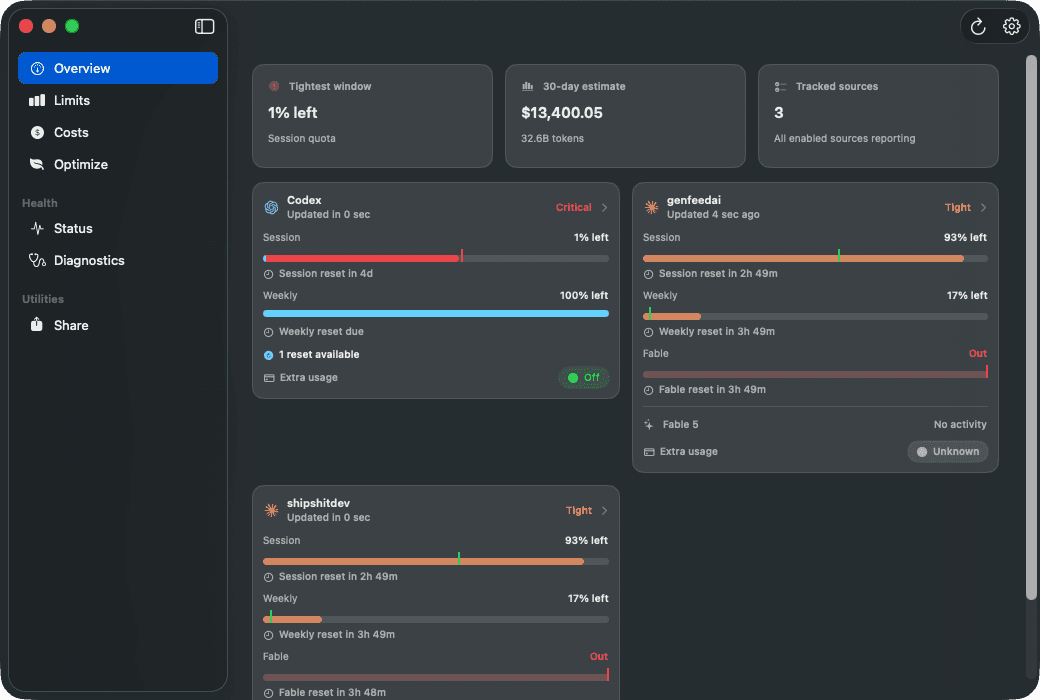
MeterBar keeps one number in the menu bar: the window closest to running out. Open it and every tracked limit is there with the time left before it resets.
- The tightest limit is the one promoted to the menu bar.
- Every provider window and reset time in one panel.
- No dashboard, no browser tab, no provider login.
Usage limits
Updated just nowThe menu bar shows the tightest window; the panel shows all of them.
The same state, in Notification Center.
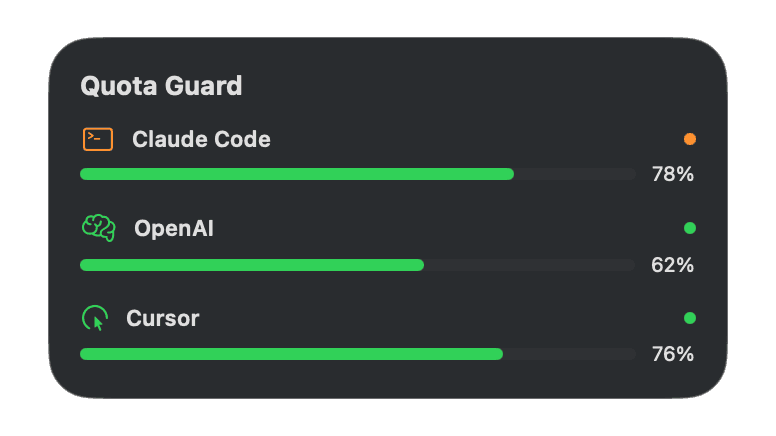
The same provider state renders as small, medium, and large widgets, so the number you check between prompts is one swipe away instead of one click into the menu bar.
- Three sizes reading from the same local state.
- Small for the tightest window, large for the full breakdown.
Notification Center
One data source, three widget sizes.
Reads the CLIs you already signed into.
There is nothing to connect. MeterBar reads the auth and usage state the CLIs already keep on disk, and a provider you have not signed into simply sits idle until you do.
- Claude Code, Codex CLI, and Cursor from their local surfaces.
- Providers appear as they are detected, not as you configure them.
Providers found on this Mac
Claude Code
Local CLI state in ~/.claude
Codex CLI
Local CLI state in ~/.codex
Cursor
Nothing to read until you sign in
MeterBar reads provider state that is already on disk.
Nothing leaves the Mac.
Credentials never move. Out of the box MeterBar has no account, no server, and nothing to upload — which is a claim you can check yourself in a terminal rather than take on trust. The one exception is a public profile you turn on yourself.
- No account to create and no telemetry to opt out of.
- Signed and notarized, so Gatekeeper opens it on the first try.
# What MeterBar sends off this Mac❯lsof -i -P -n | grep MeterBar(no output)# And what Gatekeeper makes of it❯spctl -a -t exec /Applications/MeterBar.app/Applications/MeterBar.app: acceptedIt reads the sign-ins you already have.
MeterBar has no account and no telemetry, and it talks to no server of ours unless you turn on a public profile. Every provider it tracks is one you already logged into on this Mac, and it reads that existing session in place — it never asks you for a password and never copies a credential somewhere new. The full list is below, and all of it is checkable in the source.
Prompts macOS will show you
- Keychain access, once
- On first launch macOS asks whether MeterBar may read the Claude Code-credentials item. That single read is how Claude usage arrives without a login. Deny it and MeterBar falls back to the CLI, and you can switch the OAuth read off in Settings at any time.
- Notifications, optional
- Requested once so quota warnings and session-wake alerts can appear. Decline it and every other part of the app keeps working.
- Login Items, only if you opt in
- Enabling Launch at Login or Session Wake registers a helper through SMAppService, so MeterBar shows up under System Settings → General → Login Items. Both stay off until you turn them on.
- No Full Disk Access
- MeterBar never requests it. Everything listed above sits in your home directory or your login Keychain, none of which is behind that permission.
Also true
- No account, no sign-up, and no MeterBar server for anything to be sent to — unless you turn on a public profile.
- No analytics, no telemetry, no crash reporting.
- Outbound requests go only to your own providers' usage endpoints. The exception is the public profile, which is off until you turn it on, sends only your limits and token totals (never a name, email, account, folder, or credential), and deletes its copy when you turn it off.
- The widget is sandboxed. The main app is not, because it has to read other tools' files — hardened runtime is enabled for both.
- MIT licensed, so every path listed here can be checked against the source.
Inside MeterBar
Download it, or install it with Homebrew.
Signed and notarized, so it opens on the first try — no Gatekeeper detour. The full source is on GitHub if you would rather build it yourself.